Pain Awareness Month. Stories from people who track are up — and there’s room for yours. Read the stories →

Chronic pain tracker & symptom diary for iPhone

Log it your way.
Walk in with evidence.

No two people's pain has the same shape. Flare takes yours — every symptom, medication and activity, or only the one that matters most — and turns it into patterns and appointment-ready reports, privately, on your iPhone.

Download on the App Store
QR code — download Flare on the App Store Scan with
your iPhone

Free tracking · No account · Data stays on your iPhone

★ 4.9 on the App Store · privacy label: "Data Not Linked to You"

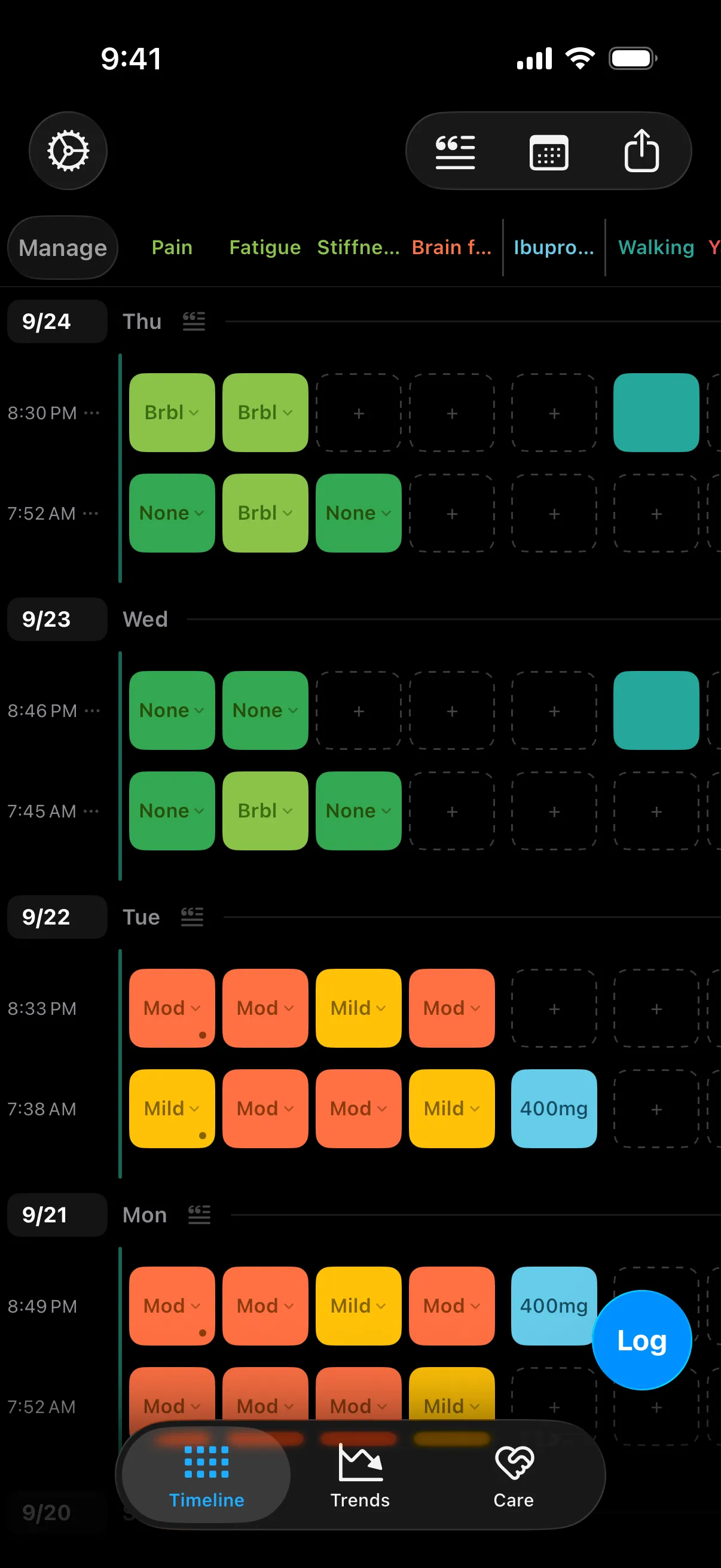
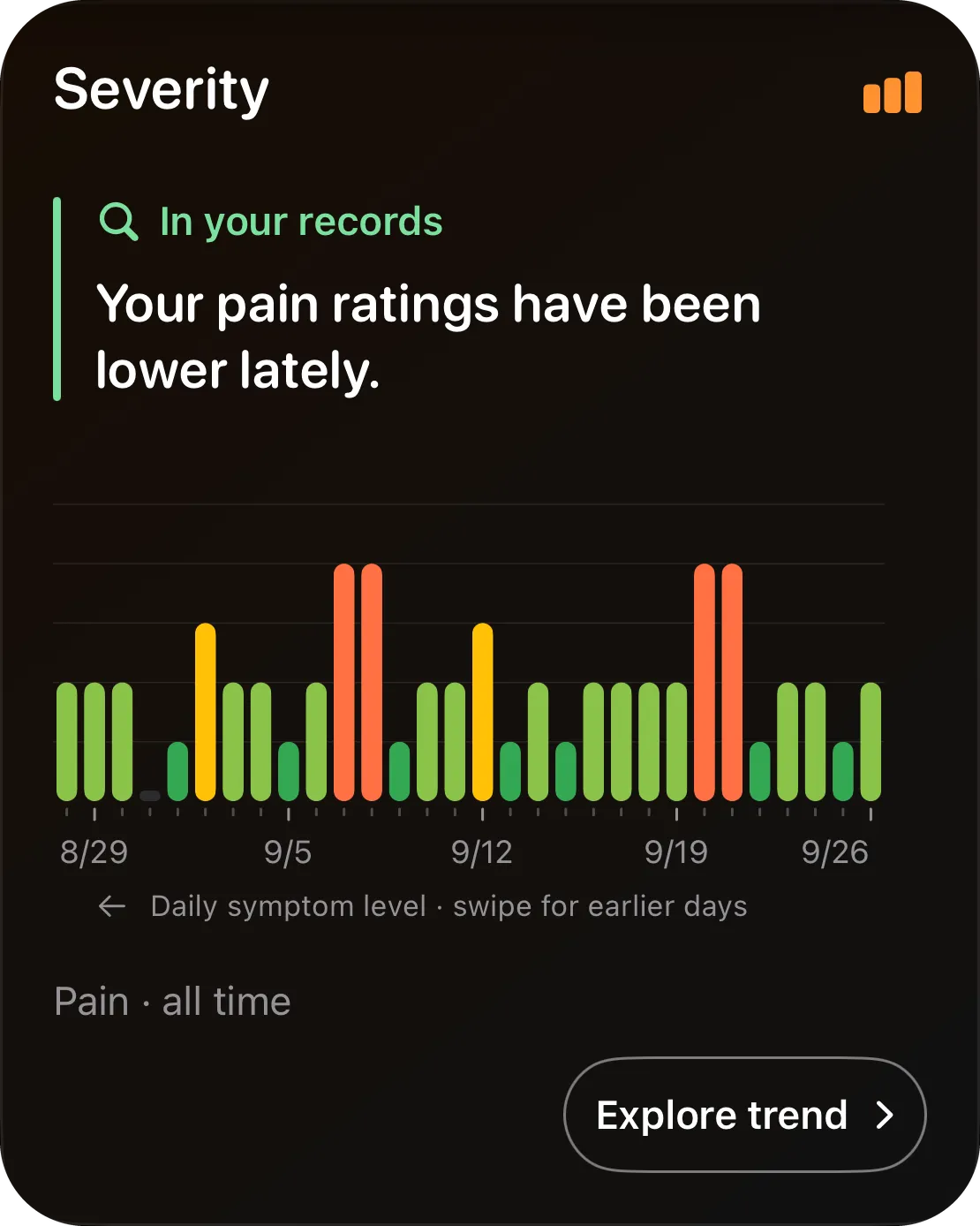
Flare's timeline: a week of pain, fatigue, stiffness and brain fog ratings, ibuprofen doses and walks, with a two-day flare in orange
Nothing linked to yousymptoms, notes, and history never leave your phone
Patient-builtborn from one bad year and a spreadsheet — read why Flare exists →
Physician-shapedMary Carol Jennings, MD, MPH shapes what Flare measures and how it reports — so your log holds up in a clinic

Why Flare exists

“It’s all in your head.”

That’s what Andre’s doctor told him, three weeks after a routine surgery left him with pain that never went away. Stop reading Google, he said.

So Andre opened a spreadsheet — My-Pain.xls — and logged every symptom, every day, for a year. When he finally sat down with a surgeon who could help, he brought it along. The surgeon read it, recognized the pattern, and it helped him make the diagnosis.

Flare is that spreadsheet, rebuilt to fit anyone’s pain — so the next person gets believed sooner.

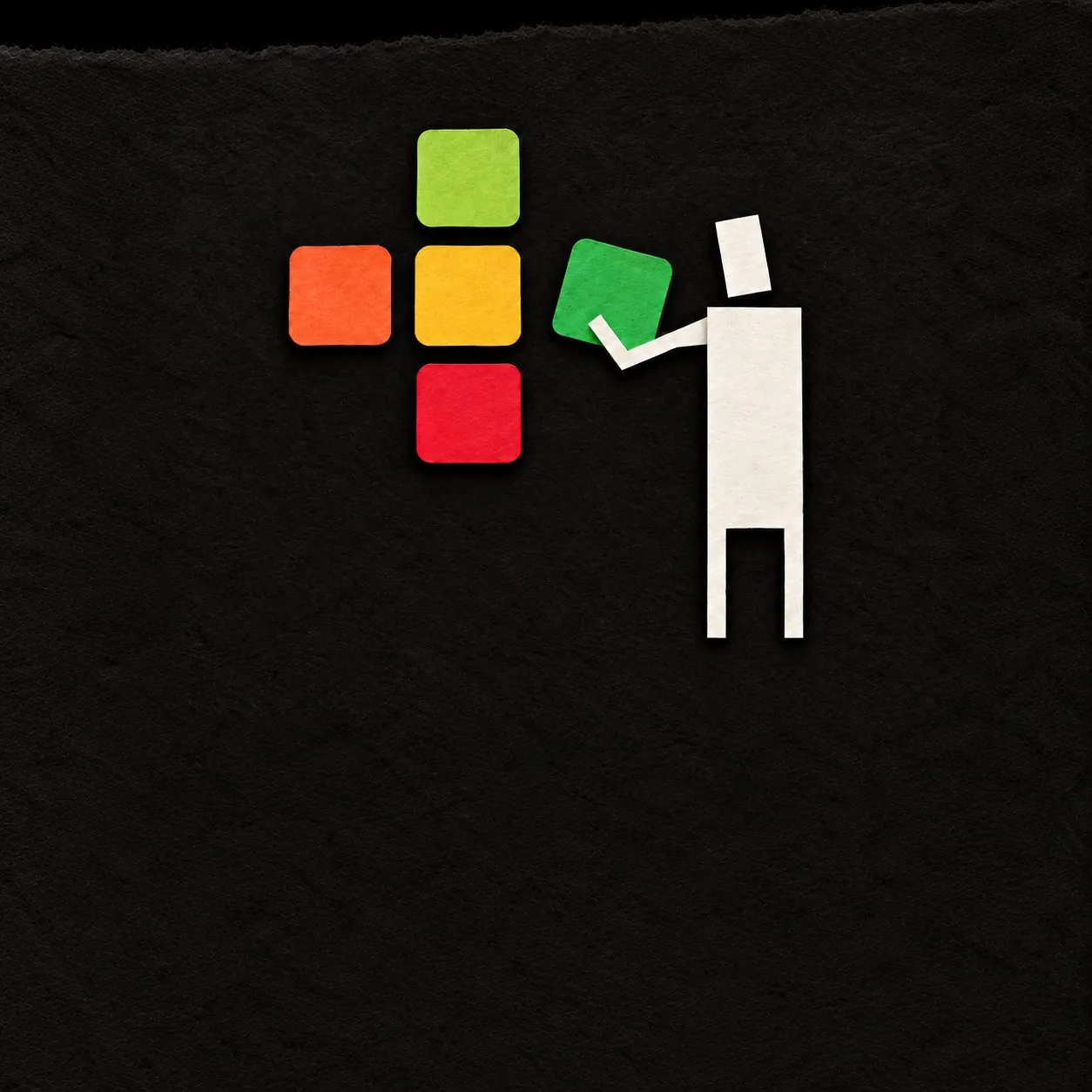
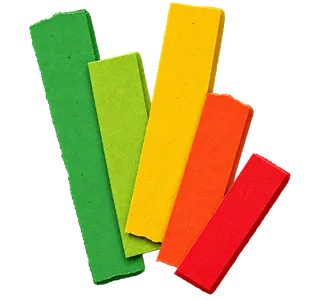
A paper-cut figure building the Flare mark from green, yellow, orange and red squares — the app’s severity colors

01 Shape it

A pain tracker shaped by you.

Most trackers hand you their checklist and a 0–10 scale. Flare starts from yours: choose a starting point, then make every column your own.

  • Your symptoms, in your words

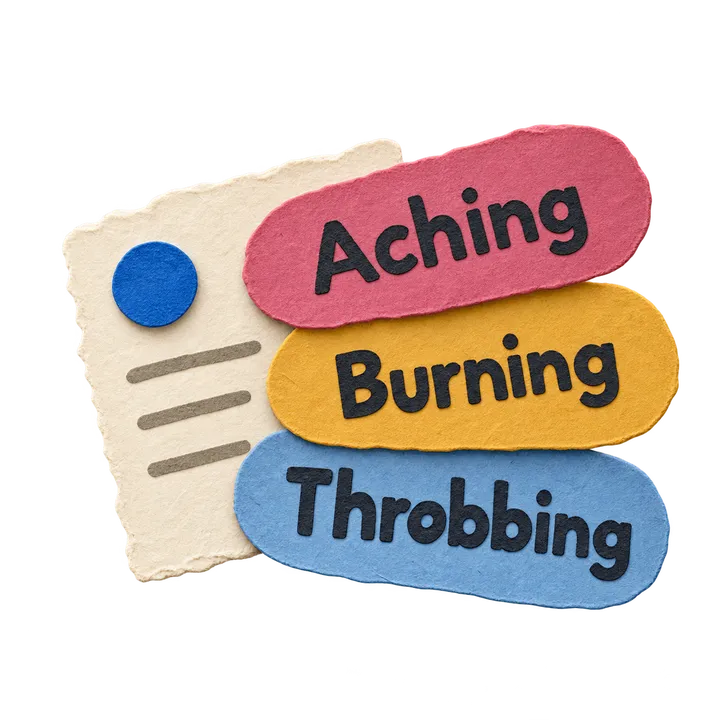
    Start from a template for back pain, fibromyalgia, migraine, arthritis, or pelvic pain — or from nothing — and name what you actually feel. Add how it feels, too: aching, burning, throbbing.

  • Medications, doses and courses

    Log a dose with one tap. Mark when a course starts and stops, and Flare lines up how you were before, during, and after it.

  • Activities in your own colors

    Walking, physical therapy, a long drive, yard work — anything you suspect helps or hurts gets its own column.

  • One column or twenty

    Faces or words, dark or light, four color themes including one made for color blindness. Change it any time; your history stays.

Try it

Six people, six trackers.

One app, set up six ways. Pick one to see their columns, their colors, and what Trends found for them. Names and data are examples.

Example · Maya Tracks the headache, what comes with it, and what might set it off.

Example · Dev Logs every symptom, a muscle relaxant, and the days with lifting or walking.

Example · Rosa Keeps it to one thing: overall pain, once or twice a day, nothing more.

Example · Sam Follows a Gabapentin course and how sitting and cycling line up with the pain.

Example · Lena Started pelvic floor PT in the spring and watches cramping against heat therapy.

Example · Joe Uses the color blind palette to follow stiffness and swelling around swimming and damp weather.

Sleep
In your records

Average recorded Headache ratings were higher after your shorter nights.

NoneBearableMildModerateSevere

Headache · day after sleep

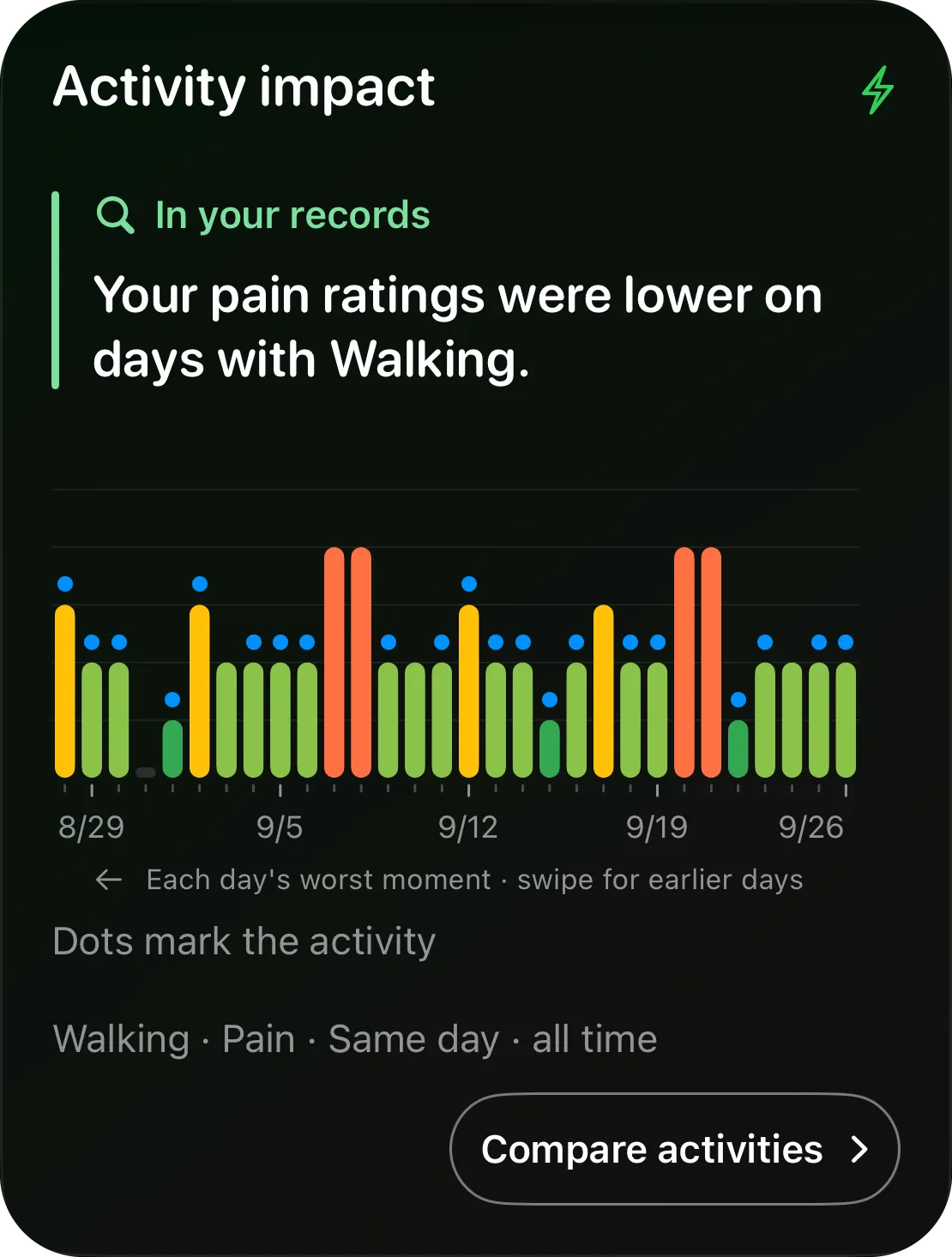
Activity impact
In your records

Your back pain ratings were higher on days with lifting.

Recent 30 days · dots mark the activity

Lifting · Back pain · same day · all time

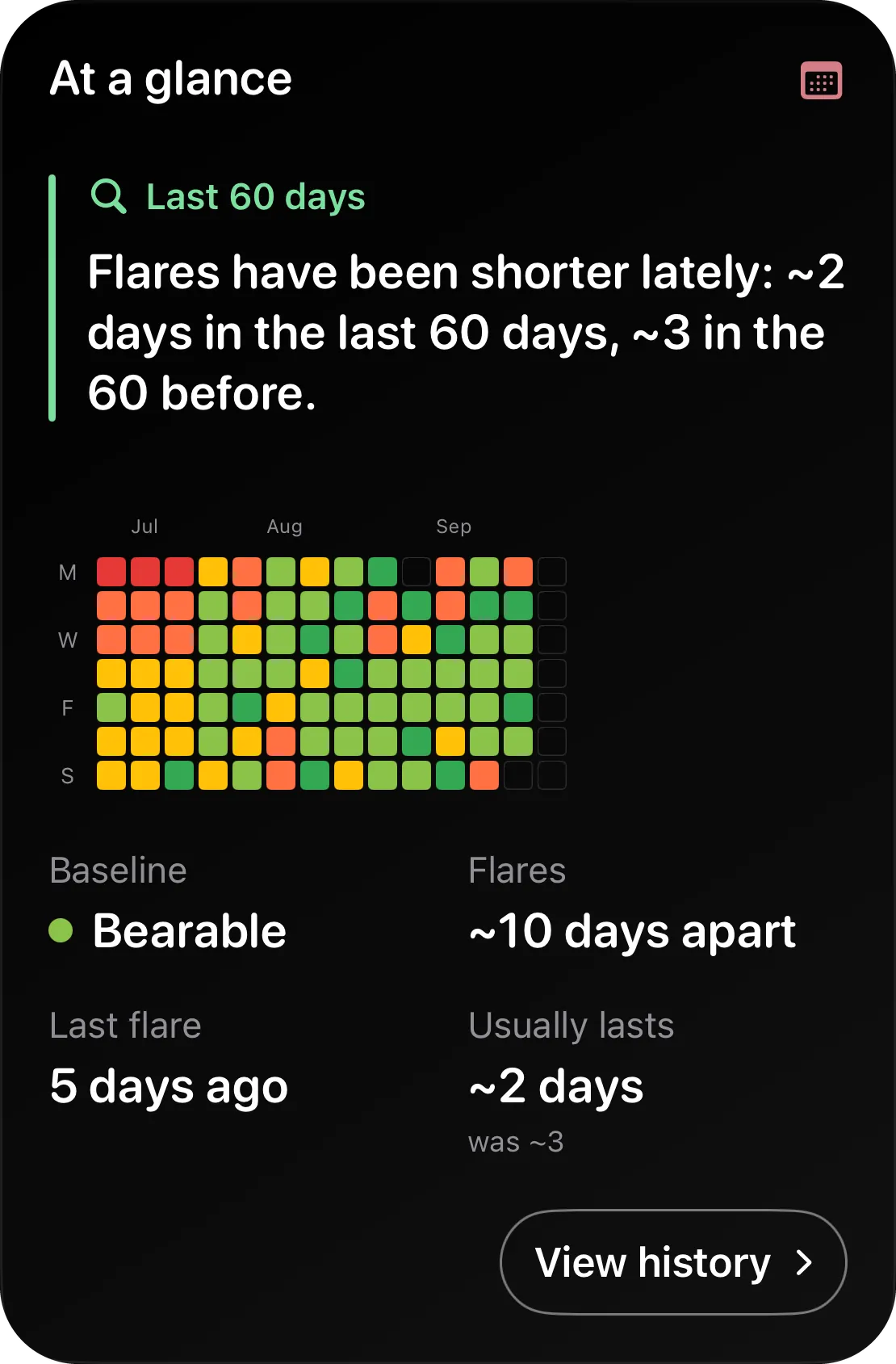
At a glance
BaselineBearable
Since last flare6 days
Flares usuallyevery ~9 days
J
A
S

Pain · one dot per day · an unrated day stays empty

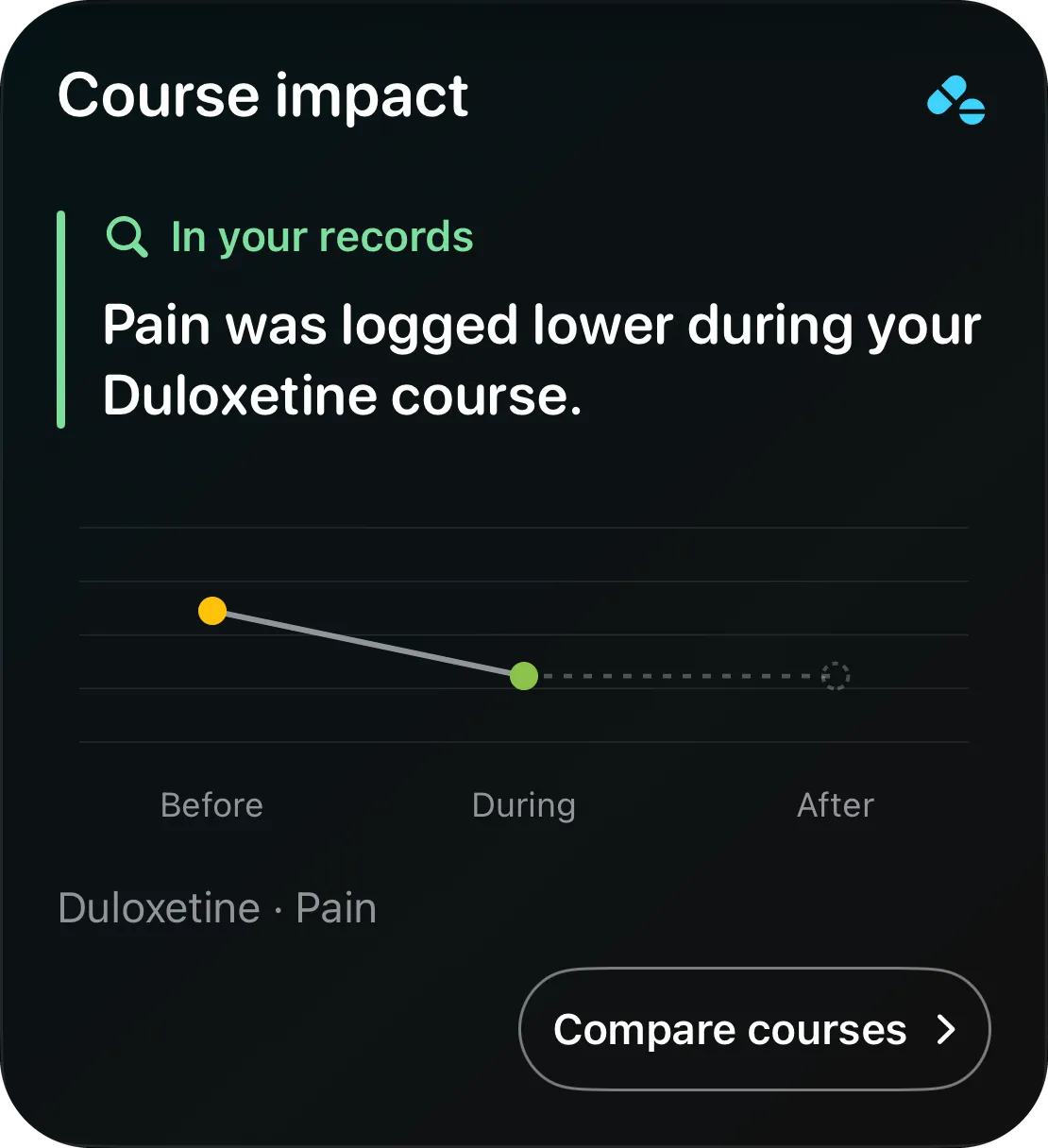
Course impact
In your records

Pain was logged lower during your Gabapentin course.

BeforeDuringAfter

Gabapentin · Pain

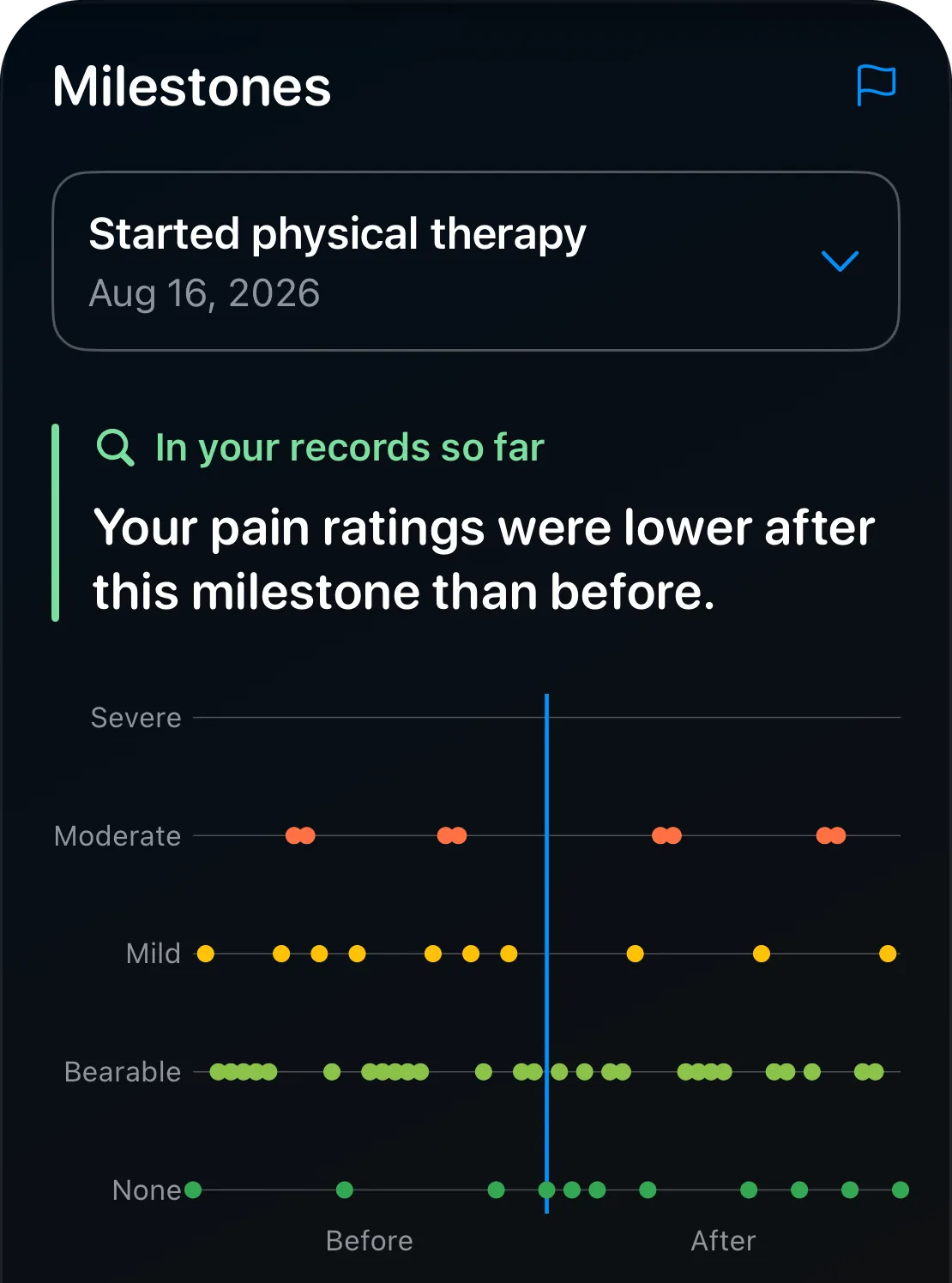
Milestones
Pain ⌄Pelvic floor PT
In your records

18 of 26 rated days were flare days before this milestone, 5 of 22 after.

NoneBearableMildModerateSevere BeforeAfter
Before · averageModerate
After · averageBearable
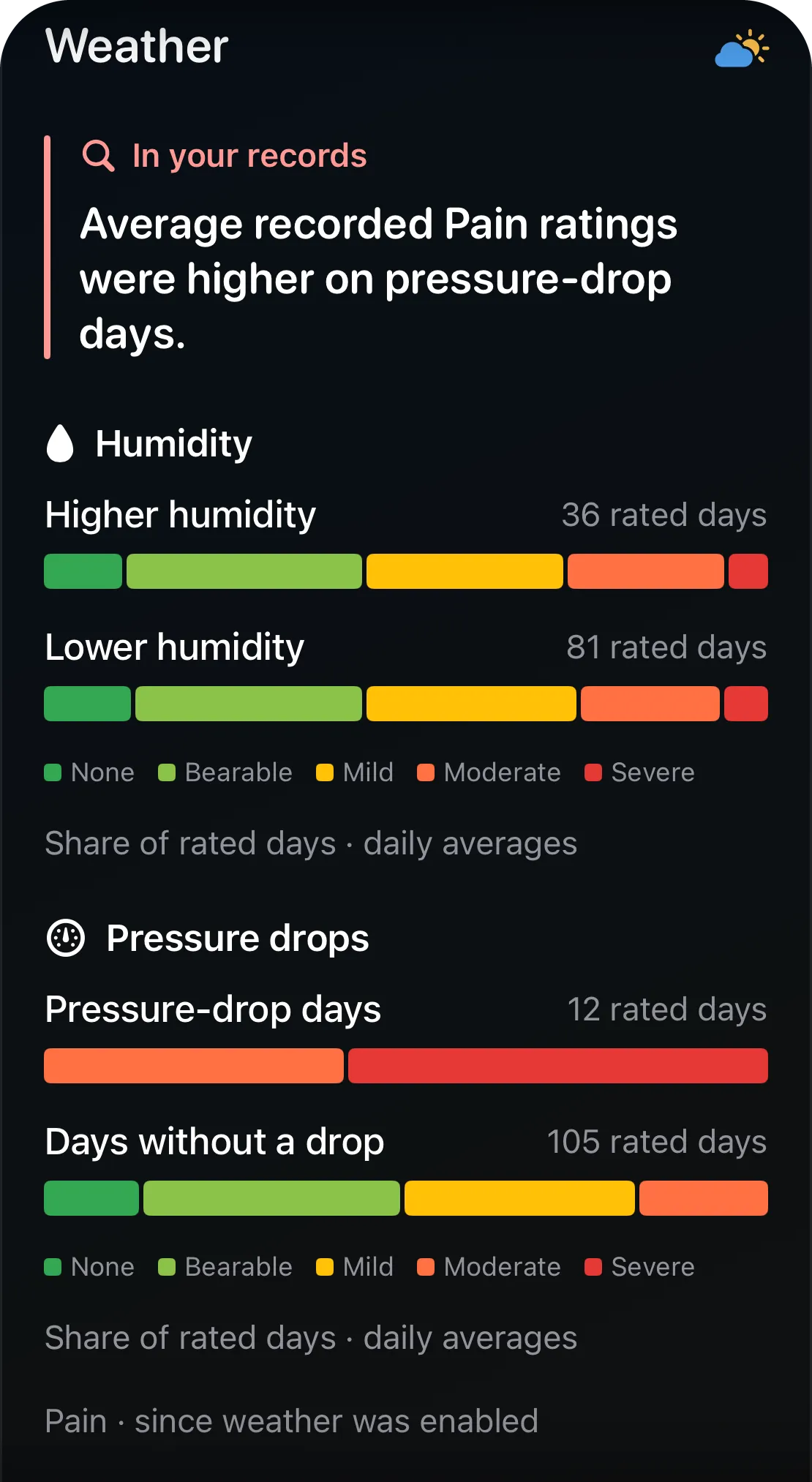
Weather
In your records

Average recorded Stiffness ratings were higher on higher-humidity days.

NoneBearableMildModerateSevere

Stiffness · since weather was enabled

Co-occurrence
In your records

Nausea was logged on 12 of the 24 days you logged a headache.

12 12 3 Headache both Nausea

Headache and Nausea · same day · all time

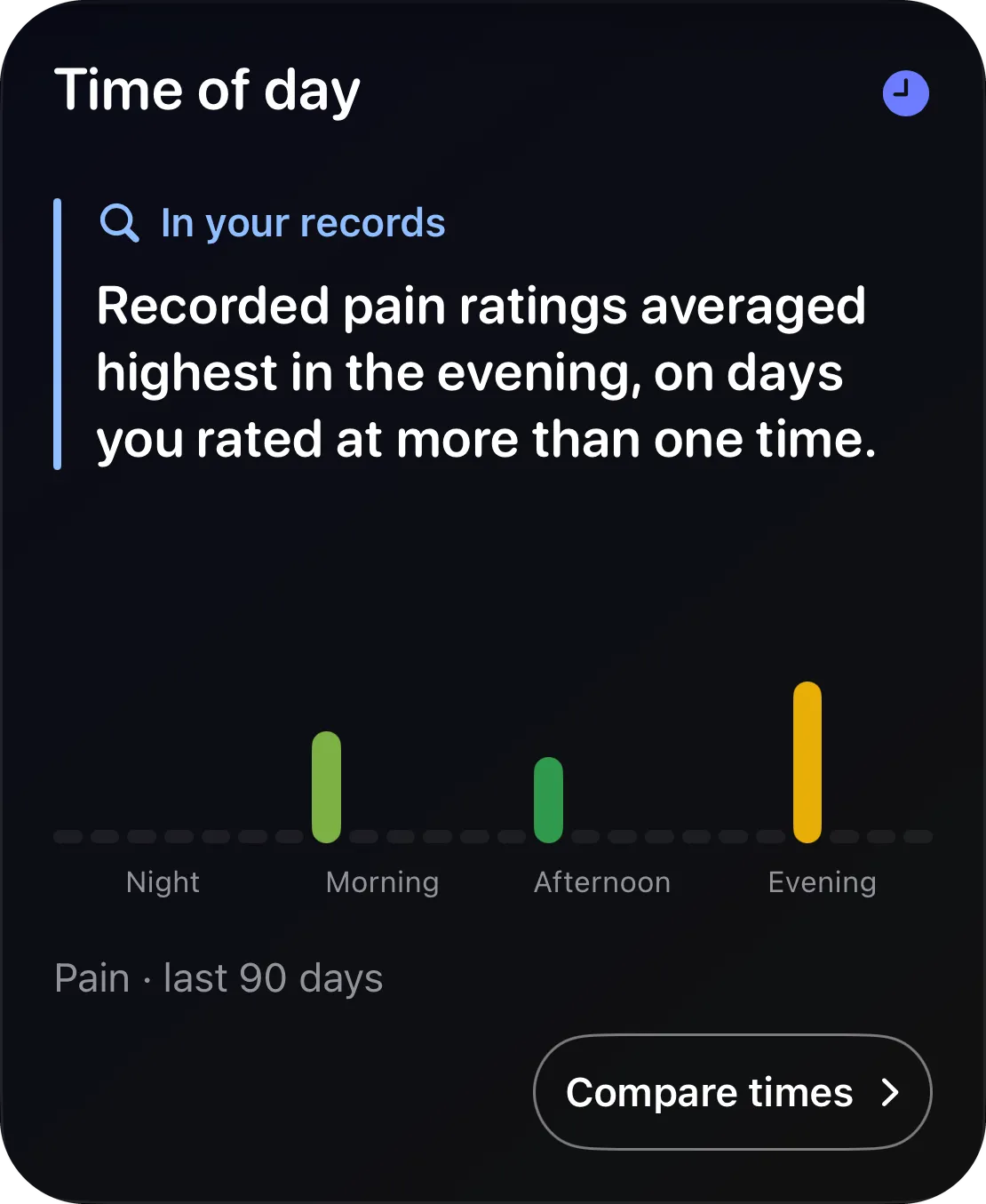
Time of day
In your records

Recorded back pain ratings averaged highest in the evening on comparable days.

Back pain · recent 90 days

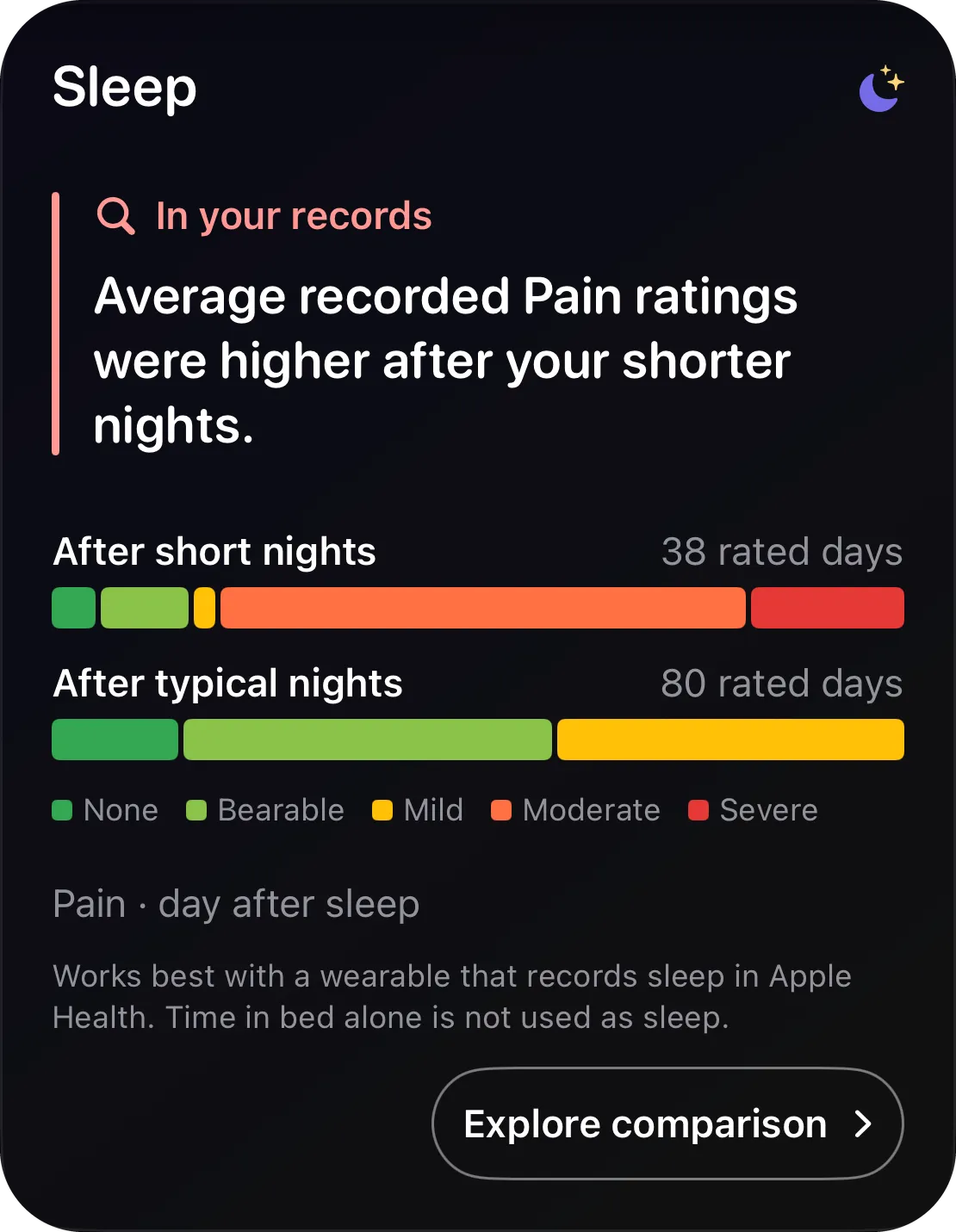
Sleep
In your records

Average recorded Pain ratings were higher after your shorter nights.

NoneBearableMildModerateSevere

Pain · day after sleep

Activity impact
In your records

Your pain ratings were higher on days with long sitting.

Recent 30 days · dots mark the activity

Sitting · Pain · same day · all time

Activity impact
In your records

Your cramping ratings were lower on days with heat therapy.

Recent 30 days · dots mark the activity

Heat therapy · Cramping · same day · all time

Activity impact
In your records

Your stiffness ratings were lower on days with swimming.

Recent 30 days · dots mark the activity

Swimming · Stiffness · same day · all time

02 Record it

Build the evidence, one log at a time.

On a bad day you have ten seconds and no patience. Tap a cell, pick a word, done — every entry timestamped, nothing to save. That is how a symptom diary turns into a record someone has to take seriously.

  • Five named levels

    None, Bearable, Mild, Moderate, Severe. Never “3 out of 10” — so this month’s Mild means what last month’s did.

  • As often as it changes

    Morning pain isn’t evening pain. Log whenever it shifts; every entry keeps its time to the minute.

  • Late is fine

    Fill in yesterday, add a note, fix a slip. Logging after the fact is normal here, not suspicious.

  • Auto-log your baseline

    No streaks, no guilt. Set the level a symptom usually sits at and Flare fills the days you don’t log with it — marked as baseline, so it never passes for a rating you made. Or leave a symptom blank, and a gap stays a gap.

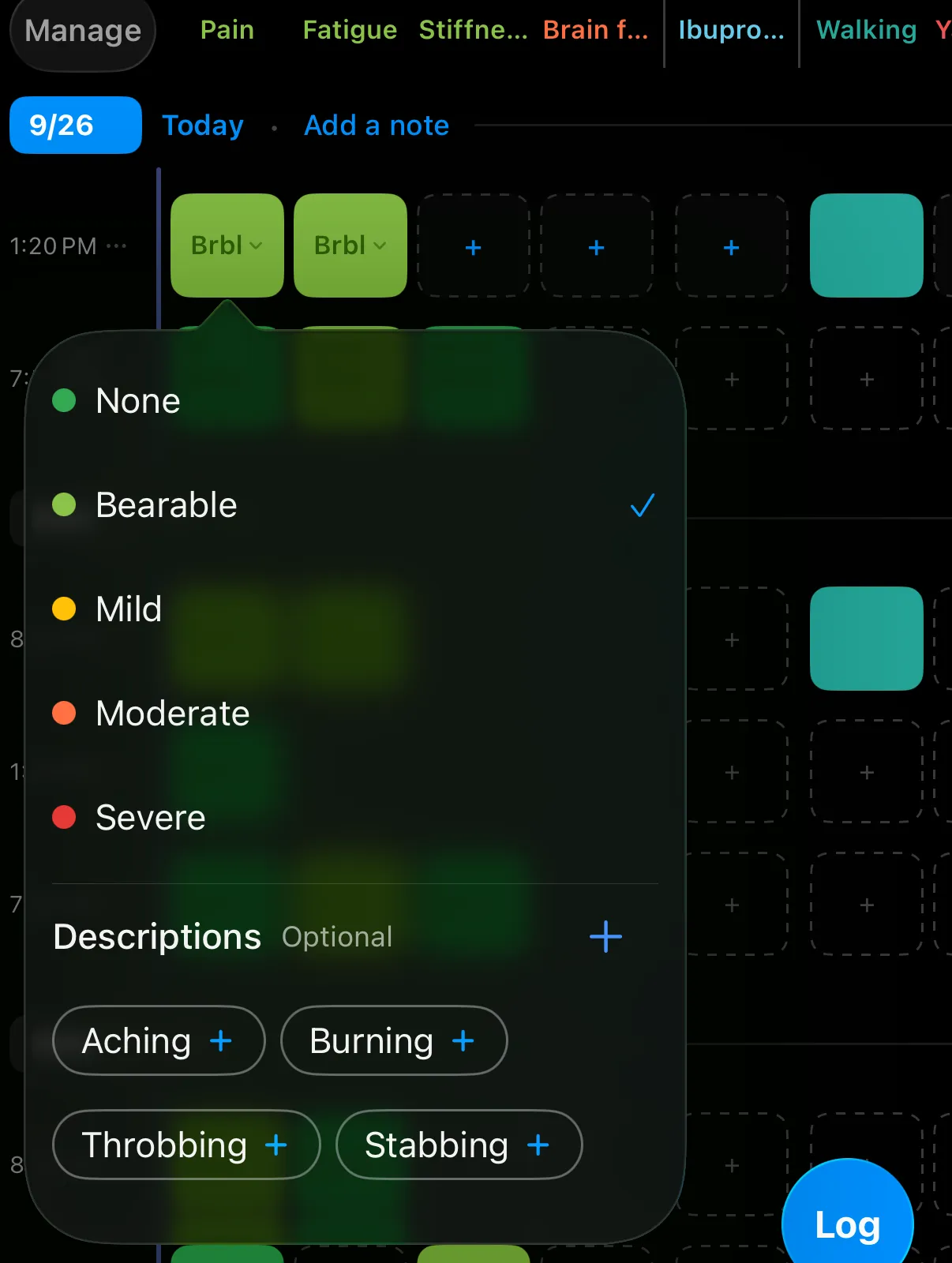
The severity picker open on the timeline: None, Bearable, Mild, Moderate, Severe, and optional descriptions Aching, Burning, Throbbing and Stabbing
Words, not numbers. Five levels you can tell apart on a bad day, plus the words for how it feels.
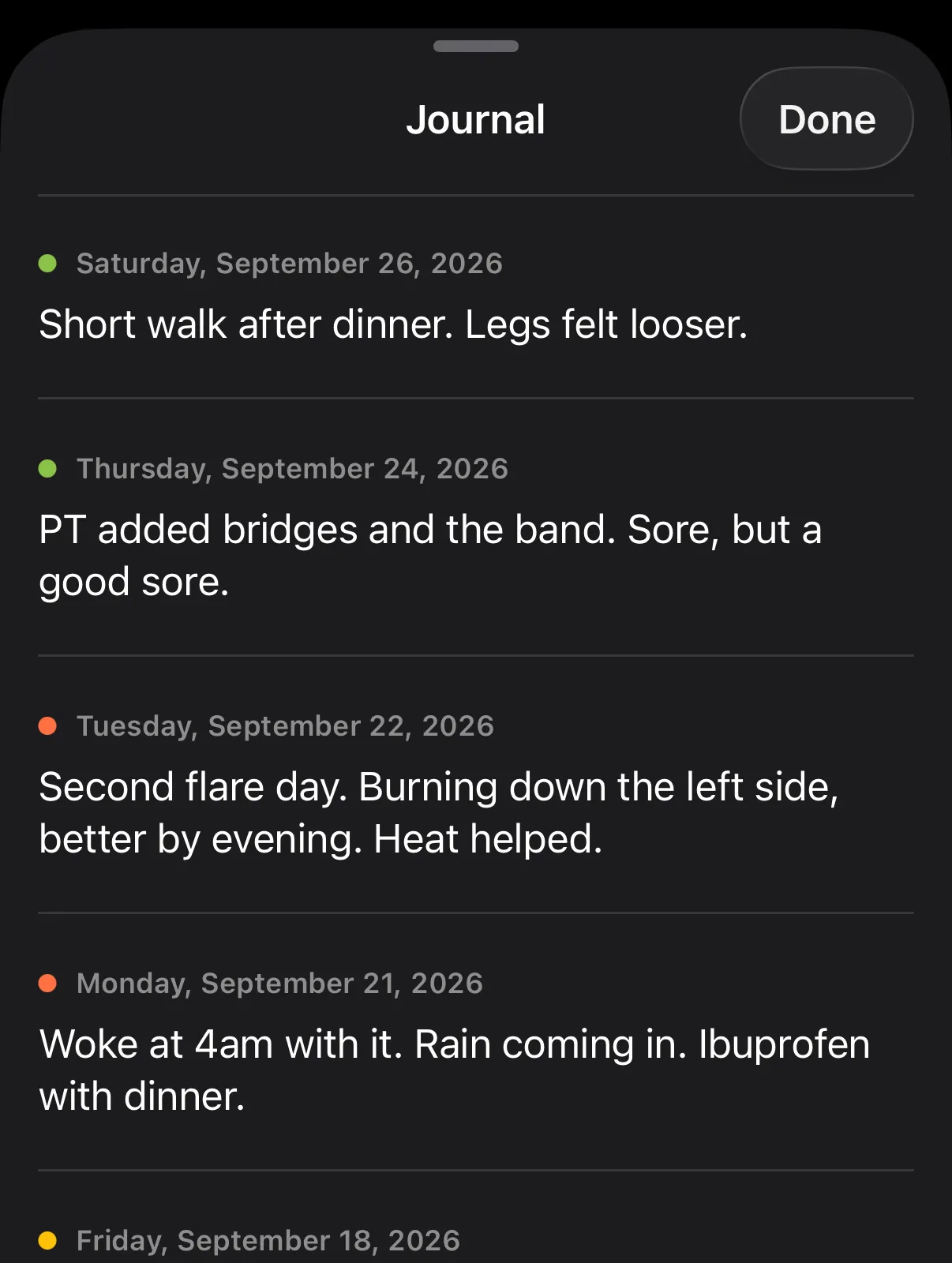
Flare’s Journal: notes like “Second flare day. Burning down the left side, better by evening. Heat helped.” listed by date, each with a colored dot for how that day went
A journal, too. Add a note to any day. The Journal keeps every one, searchable, each marked with how that day went — and notes can go in your report.

03 Understand it

See what’s driving your flares.

Every flare has a story. Flare reads yours against what you did, what you took, how you slept and the weather — and says plainly what it can, and can’t, tell yet.

These are the cards for one example tracker: 120 days in which a medication course started on day 50 and physical therapy on day 78. Every sentence on them is Flare’s own reading of that data.

  • Your data, your questions

    Weather, sleep from Apple Health, courses, milestones, activities, time of day — each card compares your own days, not an average patient’s.

  • A lead, not a verdict

    Flare reports what lines up and how sure it can be. When there isn’t enough data it tells you how much more it needs, instead of guessing.

Trends is part of Flare Pro. Patterns are observations about your own records, not medical advice — what they mean is between you and your clinician.

04 Bring it to care

Bring your story to every appointment.

Months of your life, on paper a clinician can read in minutes — the summary your doctor never gets, and a report you control.

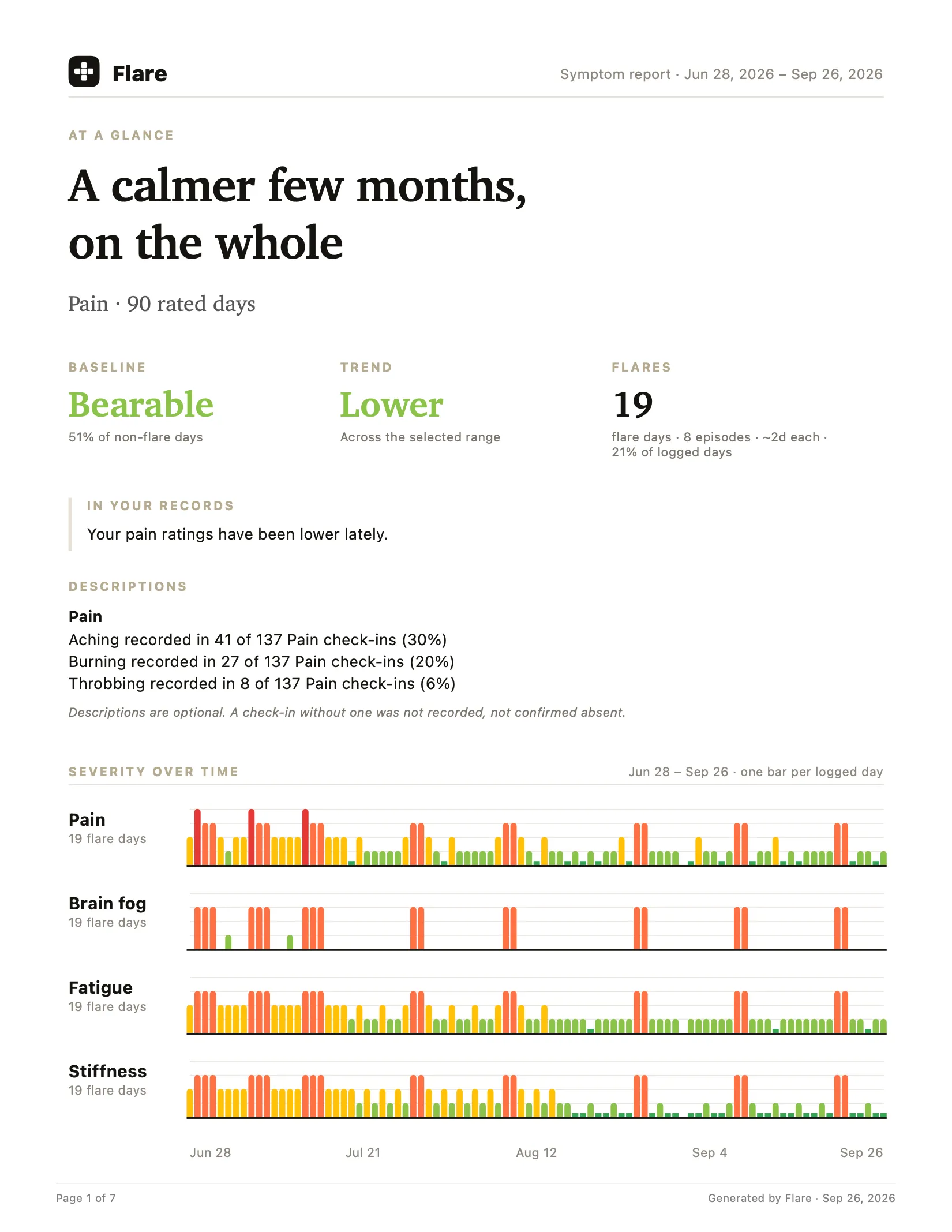
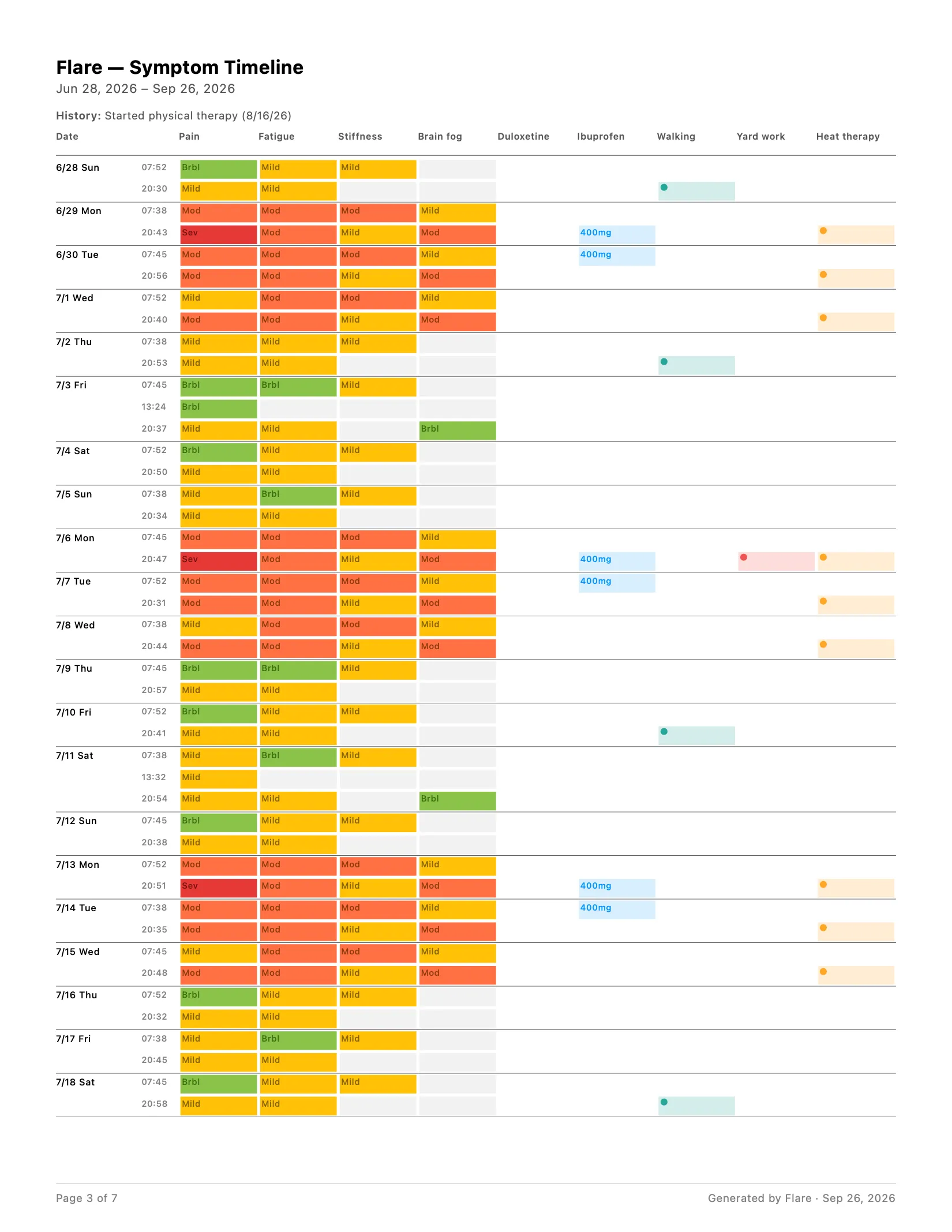
The first page of a Flare PDF report for the example tracker: a summary of the period, severity over time, flares, and the duloxetine course
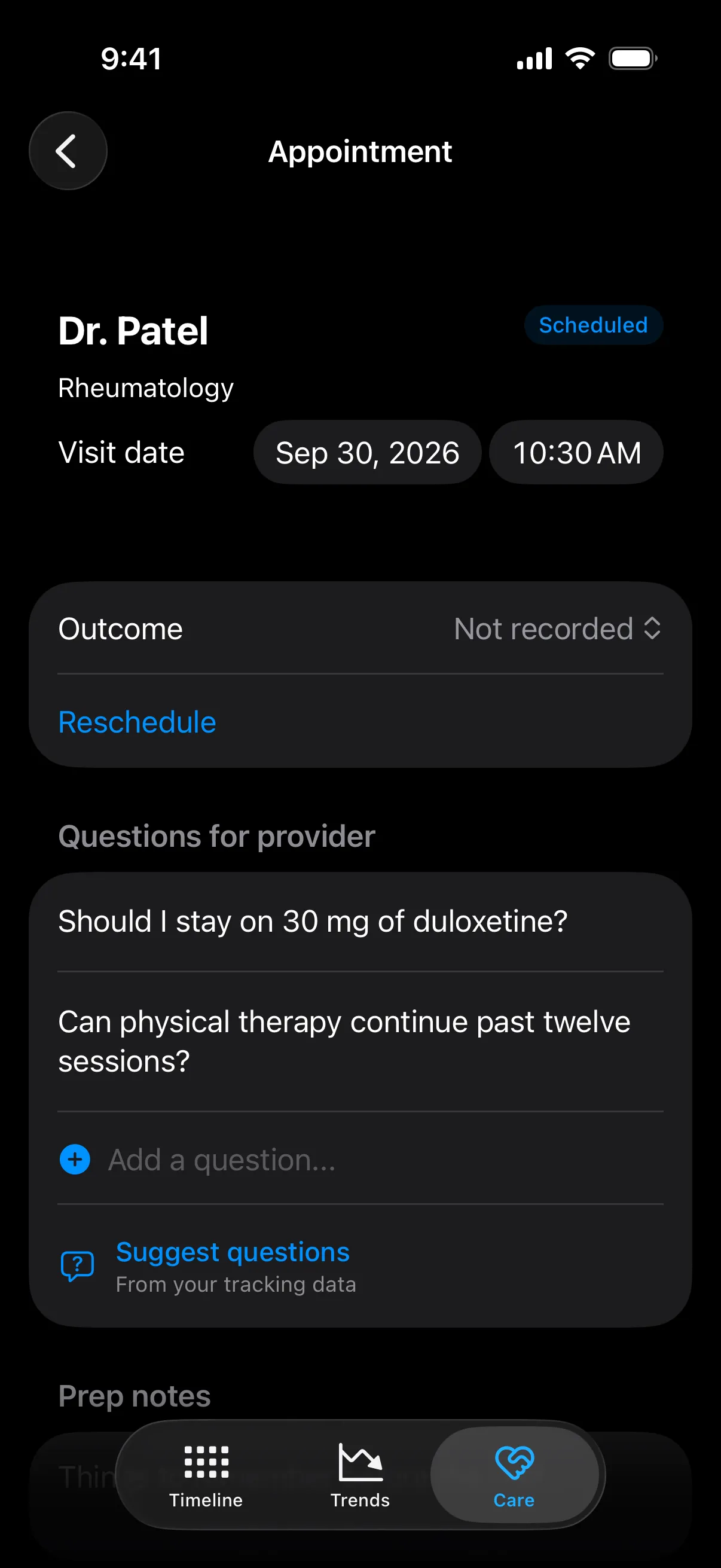
An upcoming appointment with Dr. Patel in rheumatology, with two questions for the provider and an option to suggest questions from tracking data
  • An appointment-ready PDF

    Severity over time, flares, medications and courses, activities, and notes — you pick the dates and what goes in.

  • Your questions, ready

    Keep what you want to ask with the appointment, or let Flare suggest questions from your log — with a reminder the evening before, if you want one.

  • After the visit

    Record whether it happened and what was decided, so it’s there when you prepare for the next one.

  • Yours to take anywhere

    Export a CSV for your own spreadsheet, or a structured file to explore with the AI assistant you already use.

“…my doctor stopped and said she wished more of her patients tracked like this! We covered more in 15 minutes than we usually do in a full visit…”
★★★★★ · App Store review

From people who use it

“Writing it down makes me feel like my experience is real and it matters.”

★★★★★ App Store review · ★ 4.9 from 20 ratings — read them on the App Store.

Been looking for a symptom tracker that has just symptoms and a simplistic way to log and this has been wonderful!
★★★★★ · App Store review
Been dealing with chronic endo for over a year. Tracked everything in the Notes app for months before this. The 3x-a-day check-in is smart because my pain at 8am is different than at 9pm.
★★★★★ · App Store review
Finally an app that I can use! I love everything about it. I like that I can customize to what I want.
★★★★★ · App Store review
I'm a truck driver dealing with back pain. I spoke with my chiropractor about gathering some data and he embraced the idea.
★★★★★ · App Store review

Free and Pro

Free to track. Pro when you want the analysis.

No trial clock on the tracking, no card to start, no ads. Pro is what keeps Flare running without either.

Flare

Free

  • Unlimited symptoms, medications and activities
  • The timeline, logging and reminders — free for good
  • Descriptions, notes, milestones and medication courses
  • Appointments and questions in Care
  • Themes, faces or words, dark or light

Flare Pro

Monthly or yearly with a free trial — or pay once for lifetime

  • Trends: at a glance, activity and course impact, milestones, time of day
  • Weather and sleep patterns
  • How long your flares usually last, and how far apart
  • Suggested questions for your next visit
  • PDF report, CSV, and an export for AI

Download Flare free

Prices are shown in your App Store currency before you buy.

Privacy · TL;DR

Your health data never reaches us.

No account, no ads, no health data on our servers. We don’t know who you are or what you log — and we like it that way.

Any condition, any symptom

Made for the pain you actually have.

Flare starts from a template for your condition — or from nothing — and tracks whatever you add: pain, fatigue, stiffness, brain fog, nausea, cramping. These guides show what to record for each.

The fair question

"Won't tracking make me obsess over my pain?"

It can — ask anyone who's tried rating themselves 0–10 three times a day. Flare is built against that: five named levels instead of decimal agonizing, check-ins that take seconds, no streaks, no guilt, reminders that stop once you've logged, and missed days that never count against you — left blank, or filled with your baseline if you choose.

You log it, you close it, you go live your day. Flare is designed to be closed.

Free tools

Take something, even if it isn't the app.

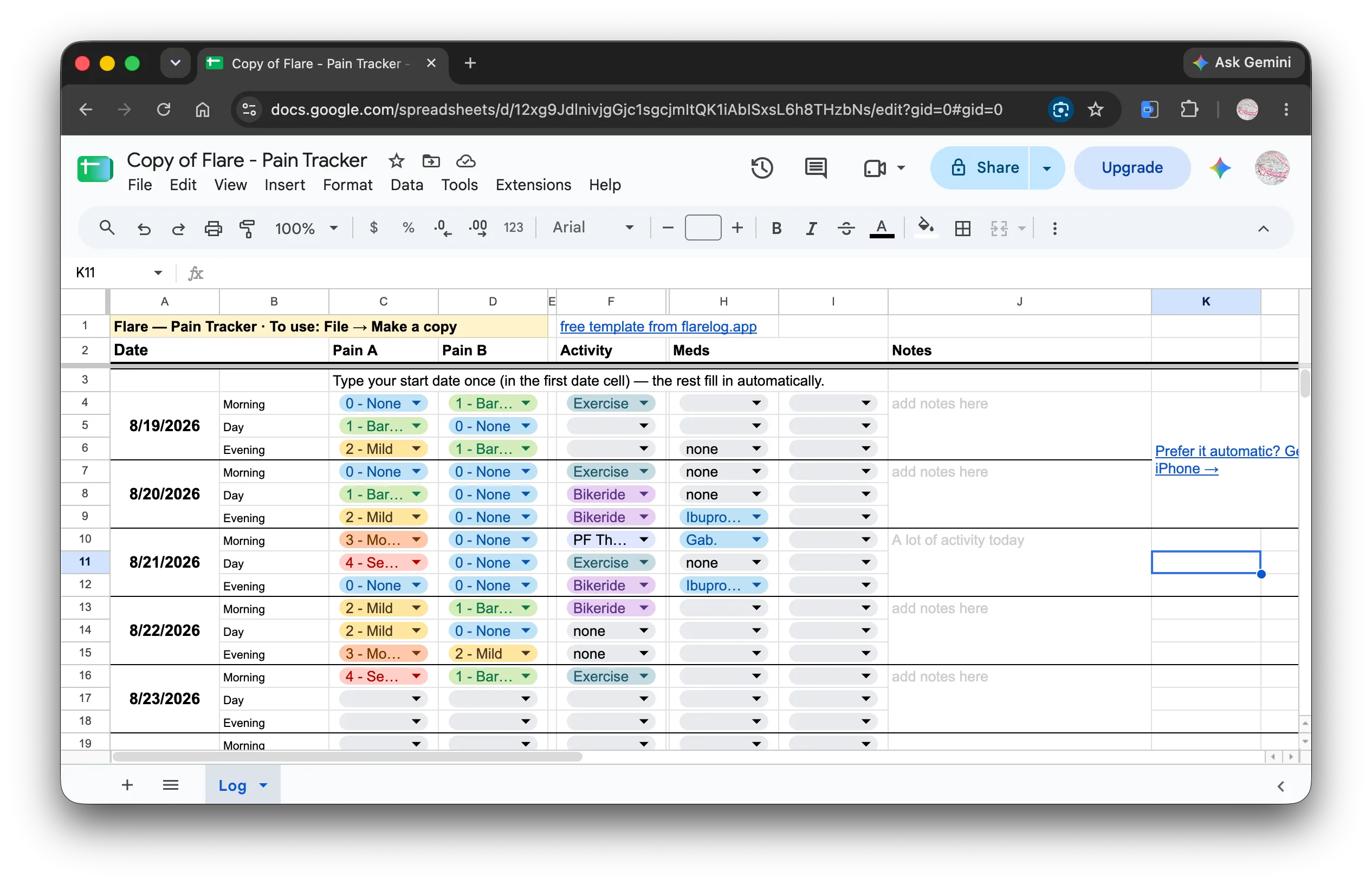
The Flare pain diary spreadsheet template in Google Sheets — 30 pre-built days with severity dropdowns, activities, meds, and notes

The pain diary spreadsheet Flare grew out of — rebuilt, free to copy, no email wall. Thirty days pre-built, dates that fill themselves, the same five-level scale.

From the blog

Guides for tracking it well.

How to Track Chronic Pain (Without It Taking Over Your Life)

Questions

Fair questions, straight answers.

Is Flare free?

Tracking is free — no trial clock, no card. The timeline, logging, and reminders stay free for good. Flare Pro (monthly or annual, both with a free trial, or a one-time lifetime purchase) adds Trends, weather and sleep patterns, course impact, suggested visit questions, and PDF, CSV, and AI exports.

Can I share my log with my doctor?

Yes. Flare Pro makes an appointment-ready PDF: a summary of the period, severity over time, flares, medications and courses, activities, and notes, for the dates you choose. Print it, email it, or show it on your phone — nothing is shared unless you share it.

What can I track?

Custom symptoms in your own words and how they feel (aching, burning, throbbing), medications and dosages, medication courses, activities, milestones like starting physical therapy, provider visits, and day notes — each entry timestamped to the minute, rated on five named levels from None to Severe.

Can I keep a pain journal in Flare?

Yes. Add a note to any day from the timeline. The Journal keeps every note in one searchable list, each marked with how that day went, and notes can be included in your PDF report.

What if I miss a day?

Nothing breaks, and there are no streaks. You decide what a missed day means: set a symptom’s baseline and Flare fills the days you don’t log with it — marked as baseline in your timeline, Trends, and PDF — or leave it blank and the day stays unknown, never counted as a good one. Back after a few days away? Flare asks how they went.

How is Flare different from a notes app or a paper pain diary?

Notes and paper hold the words, but they can’t line your days up against medications, sleep, or weather, and they don’t turn into a summary a clinician can read in two minutes. Flare keeps the same quick habit and does that part for you.

Do I need an account?

No. There is nothing to sign up for, so there is nothing to log into, forget, or leak. Open the app and start.

Where does my data live?

On your iPhone, and in your own iPhone backups. Your symptoms, notes, and history are never collected. The app sends only anonymous, unlinked signals — purchase receipts, which features get used (never what you log), and Apple's standard ad attribution — never tied to your identity, never used for tracking.

How long until I see patterns?

Give it a few weeks of consistent logging. Quick patterns show up in days; slower ones — cycles, weather, treatment effects — need more history to trust, and Flare tells you when it doesn’t have enough yet.

Is Flare a medical device?

No. Flare is a tracking tool. It shows what lines up in your own records and never diagnoses or recommends treatment — what a pattern means is a conversation for you and your clinician.

Is Flare on Android?

iPhone only today — an Android version is coming.

Your next appointment can be different.

Start with one symptom tonight. In a few weeks you’ll have something to show.

Download on the App Store

Free for iPhone · No account required